VS Code
Hotkeys
General:
ctrl + shift + p: open command palletctrl + b: toggle sidebar visibilityctrl + shift + e: open explorerctrl + k, ctrl + w: close all tabs, except for pinned
Editor:
ctrl + x: cut linectrl + c: copy linectrl + c, ctrl + v: copy line (with nothing selected), paste linectrl + w: delete word backwardctrl + backspace: delete word backwardsctrl + delete: delete word forwards
Navigation between files and tabs:
ctrl + p: go to filectrl + taborctrl + shift + tab: display list of open tabs and open itCtrl+PgUporCtrl+PgDn: Go to next/previous tab
Settings:
ctrl + ,open settings
Markdown:
Ctrl+Shift+v: markdown previewhttps://code.visualstudio.com/shortcuts/keyboard-shortcuts-windows.pdf
Color Theme command
(ctrl+k ctrl+t)to display the Color Theme picker.
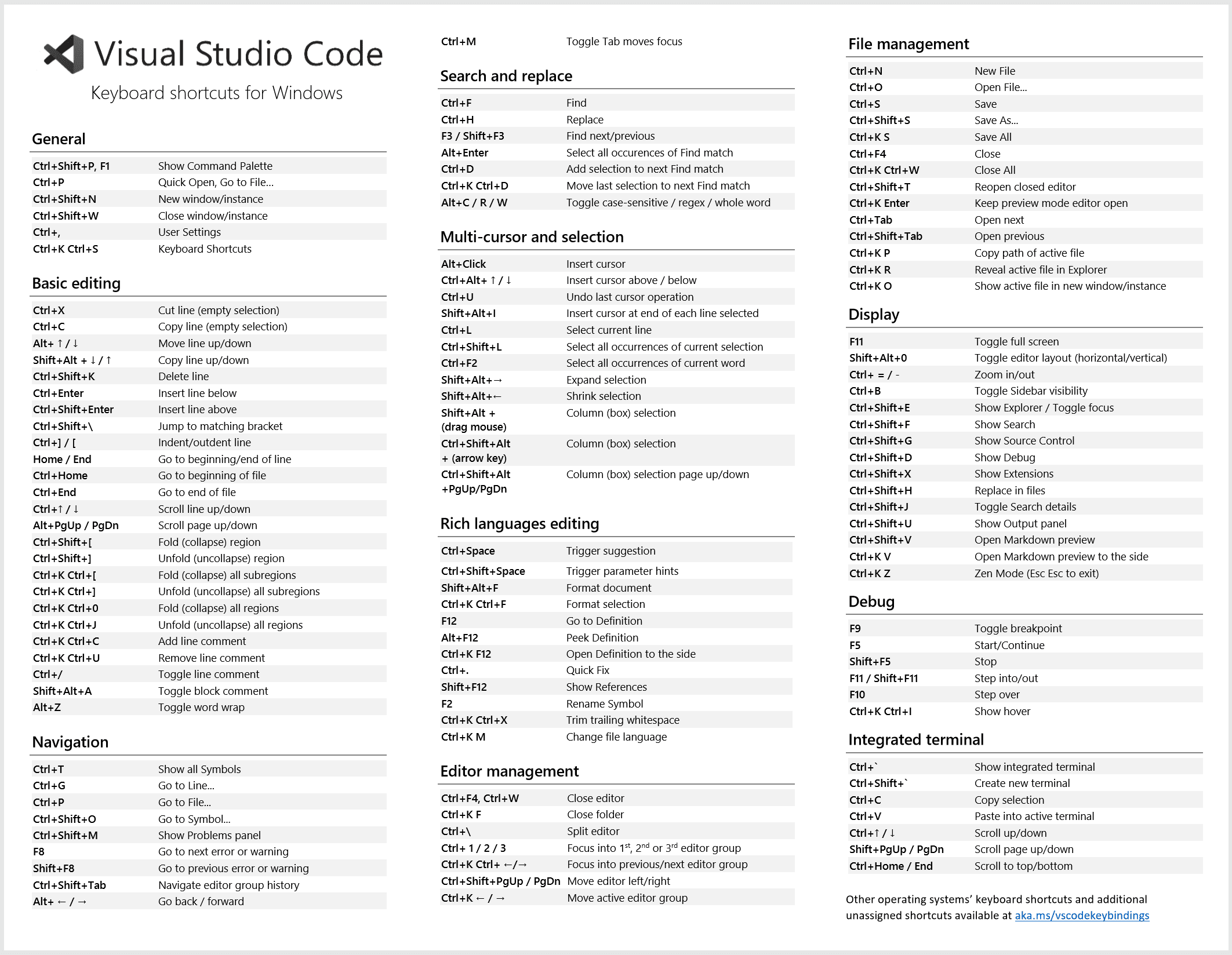 https://code.visualstudio.com/docs/getstarted/tips-and-tricks
Hotkeys (dependent on plugins):
alt + shift + f: format current filectrl + .to list spell checking suggestions (if plugin is installed)
Plugins
To do...
Other
Custom labels on opened files
Useful when working on React Next.js.
Display directory name only:
- Go to settings
- Search
custom labels - Add item
- Item:
**/app/**/page.js